
Improv vs Stand-Up: What’s the Difference?
May 28, 2025
Are “Only 3 Tickets Left” Real? Ticket Scarcity Explained
May 29, 2025How to Safely Buy Event Tickets on Your Phone (Guide)
Buying event tickets on your phone is super convenient—but it can be risky if you’re not careful. From sketchy apps to scam sellers, one wrong tap can cost you. In this quick guide, I’ll walk you through how to stay smart, secure, and scam-free while ticket shopping on mobile.
Start with a Secure Device
Before you even think about clicking “Buy,” let’s talk about your phone. That little screen in your hand holds your payment info, personal data, and access to your tickets—so it better be secure.
- Update your phone’s OS and apps regularly. Outdated software can have holes hackers love to sneak through. Set your updates to automatic or at least check weekly.
- Use lock screen protection. Whether it’s Face ID, a fingerprint, or a six-digit PIN, keep unwanted eyes out. Especially useful if your phone ever gets lost or swiped.
- Install mobile security software. You don’t need Fort Knox, but a trusted antivirus app can alert you to shady sites, phishing attempts, or suspicious downloads.
Think of your phone like your wallet and your front door all in one. Keeping it protected is step one to buying tickets without a hitch—or a hack.
Only Use Verified Apps or Official Sites
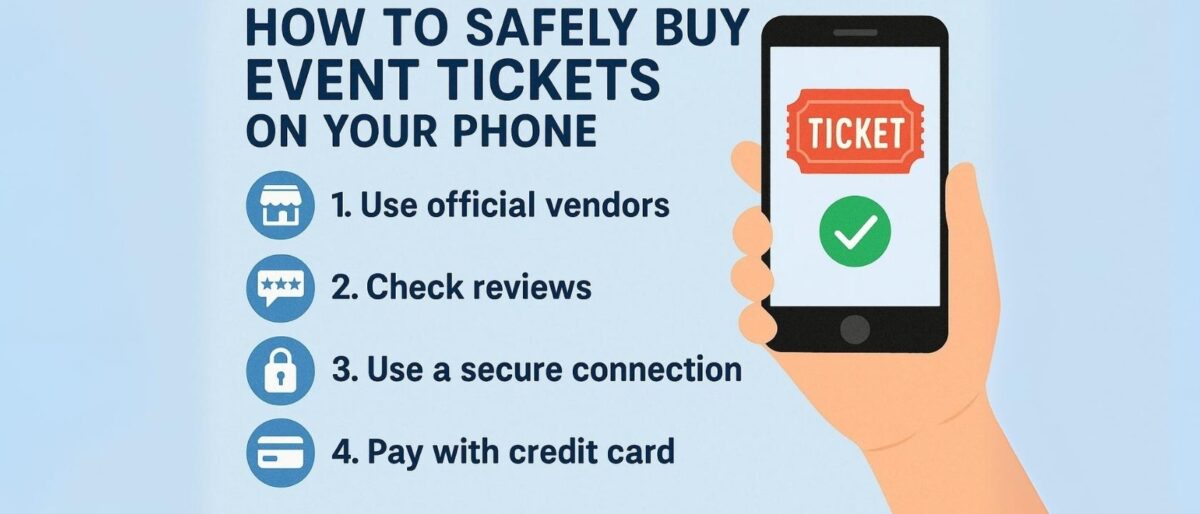
If you’re buying tickets on your phone, the app or site you use matters just as much as the event itself. Stick with the tried and trusted—because the wrong tap can lead to scams, overpriced seats, or no tickets at all.
- Use official apps and websites like Ticketmaster, AXS, Eventbrite, or the venue’s direct site. These platforms have secure payment systems, clear refund policies, and real customer support.
- Third-party resellers? Be cautious. Only trust well-known names like StubHub or SeatGeek that offer verified resale programs. Avoid sketchy platforms with no clear policies or user reviews.
- Watch for red flags: Misspelled names, blurry logos, missing contact info, or apps that aren’t in the official app store. If the deal seems too good to be true—it probably is.
When in doubt, Google the seller’s name with the word “scam” before purchasing. Your thumbs might be fast, but scammers are faster—so double-check before you tap.
Know the Event Details First
Before you even open a ticket app, double-check the facts. Scammers thrive on confusion—so knowing the exact event details helps you sidestep copycat listings and bogus venues.
- Start with the source: Look up the concert, show, or game on the artist’s official website or the venue’s verified page. You’ll get the correct date, time, and location straight from the people putting it on.
- Double-check the venue name. Some scammers use similar-sounding spots to trick buyers. Is it Madison Square Garden or Madison Hall? One sells out stadiums, the other might be someone’s wedding venue.
- Note any opening acts, special performances, or age restrictions that are listed. These details are often missing on fake listings, giving them away.
When you’re confident in the what, where, and when, you’re far less likely to click on a scam. Think of this as your pre-purchase GPS—it keeps your night on the right track.
Enable Two-Factor Authentication (2FA)
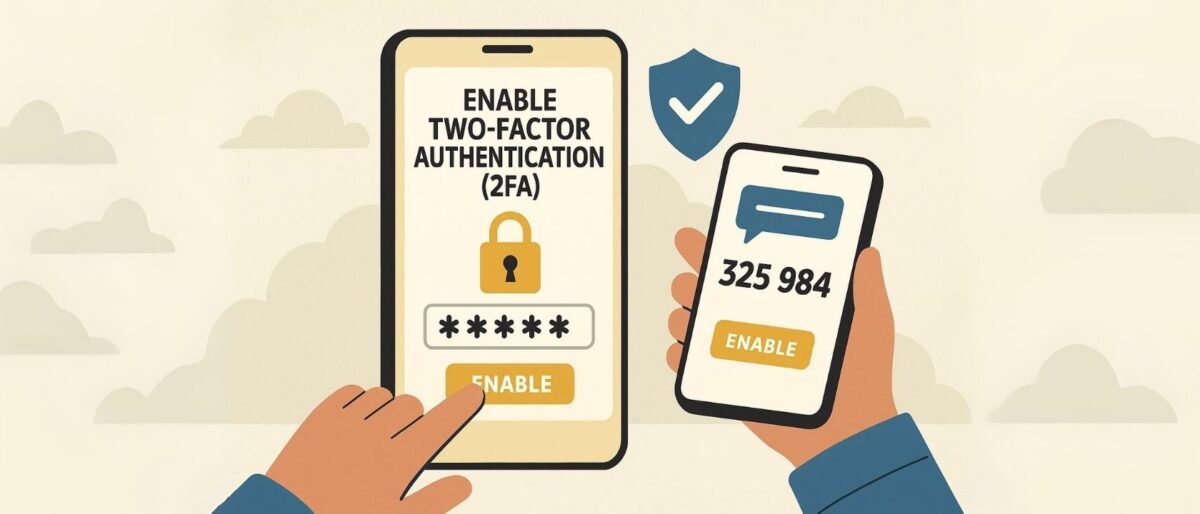
When it comes to buying tickets on your phone, two-factor authentication (2FA) is like a double lock on your digital door. It’s one extra step that makes a world of difference in keeping your info safe from cyber pickpockets.
- What it does: 2FA adds a second step to log in—usually a code sent to your phone or email, or an app like Google Authenticator. Even if someone guesses your password, they can’t get in without that extra code.
- Why it matters: Ticket apps often store sensitive info—credit cards, personal data, and barcoded tickets. 2FA makes hijacking your account much harder.
- Where to enable it: Go to your profile settings on apps like Ticketmaster, AXS, or Eventbrite. Look under “Security” or “Login Options” and follow prompts to enable 2FA via text, email, or authenticator app.
Think of it this way: would you leave your concert tickets lying around on a park bench? Probably not. 2FA is your digital seatbelt—click it on and browse worry-free.
Avoid Public Wi-Fi While Buying
Grabbing tickets on the go while sipping your latte might sound convenient, but tapping “Buy” on public Wi-Fi? That’s like shouting your credit card number across the café.
- Open networks = open season for hackers: Public Wi-Fi at airports, hotels, or coffee shops often lacks encryption. That means someone nearby with a bit of tech savvy could snoop on your login credentials or payment info.
- Beware of fake login portals: Some networks trick you with phony “connect” pages designed to steal your data. If a Wi-Fi login page looks off or overly intrusive, hit the brakes.
- Better choices: Use your phone’s mobile data. It’s more secure and harder to intercept. Or, if you must use Wi-Fi, activate a trusted VPN (virtual private network). It scrambles your data and keeps prying eyes out.
Bottom line? When real money’s on the line, stick to mobile data or a VPN. Public Wi-Fi may be free, but the price you pay in stolen info could be steep.
Check the URL and App Permissions
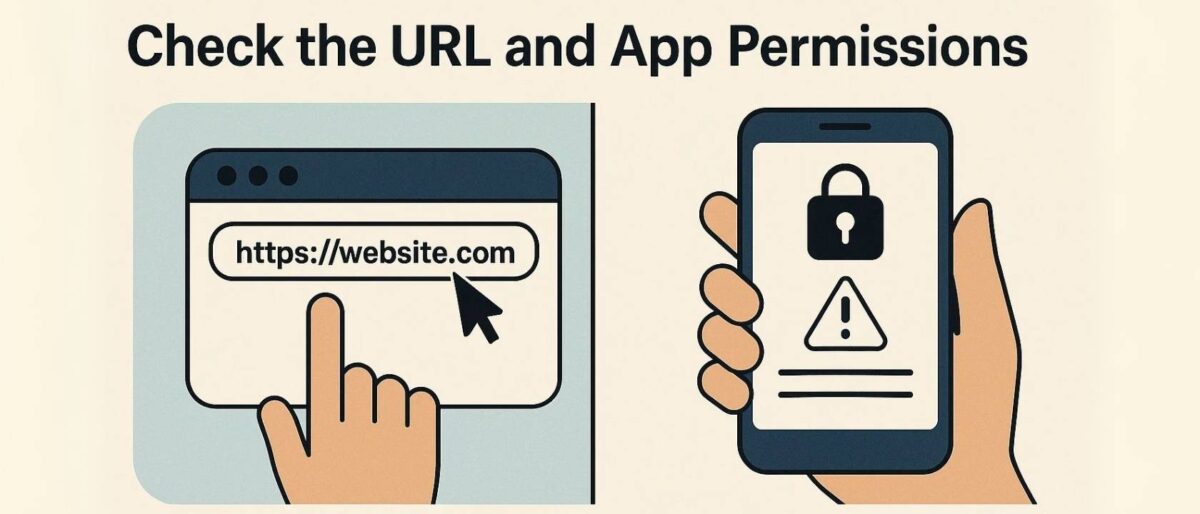
Clicking too fast can cost you. Whether you’re in a browser or using an app, it’s worth pausing for a digital double-check.
- In your browser: Always confirm the website starts with https://—that “s” stands for secure. Double-check the domain name too. For example, ticketmastr.com is a scam; ticketmaster.com is legit. Typos can be traps.
- Inside ticket apps: Pay attention to the permissions it requests. Sure, location might help find local events—but does the app really need your contacts or camera? Probably not. If it asks for more than necessary, that’s a red flag.
- Stick to the source: Download apps only from the official App Store or Google Play. Avoid installing .apk files from unknown sources—it’s a one-way ticket to malware.
Being click-happy is fun when you’re locking in seats to a sold-out show. But slow down just enough to check the URL and permissions. A minute of caution can save you a mountain of regret.
Use Secure Payment Methods
When you’re ready to check out, how you pay matters just as much as where you’re buying from. A bad payment choice could leave you ticketless and empty-handed.
- Stick with credit cards or trusted digital wallets like Apple Pay or Google Pay. These offer fraud protection and the ability to dispute unauthorized charges—your safety net if something goes sideways.
- Avoid cash apps (like Venmo, Cash App, or Zelle) for buying tickets from strangers or questionable sources. These are great for splitting dinner—not for securing entry to your favorite concert.
- PayPal is a solid middle ground, especially when you use it through a reputable ticketing platform. Just make sure you’re using the “Goods and Services” option to access buyer protection—don’t get caught in the “Friends and Family” loophole if something goes wrong.
Think of it this way: if the payment method doesn’t offer a “get your money back” button in a worst-case scenario, it’s not worth the risk. Better to be a cautious buyer than a heartbroken fan.
Look for Refund and Transfer Policies
Before you tap “Buy Now,” take a minute to read the fine print—seriously. Those refund and transfer terms could save you a major headache if plans change.
- Is the ticket refundable? Some events allow refunds up to a certain date or only under specific circumstances (like cancellation or postponement). Others? Absolutely no take-backs.
- Is it transferable? Can you give it to a friend if you can’t go? Many ticketing apps let you transfer tickets with just a few taps—but not all. Check the policy before assuming.
- Concerts vs. theater: Refund policies can differ wildly. Broadway shows might offer exchanges, while concert promoters often follow strict no-refund rules. Always verify what’s allowed.
Bottom line: don’t assume flexibility unless it’s spelled out. Look for refund windows, ticket insurance options, and transfer limits. If a seller hides that info? Walk away. Your money—and your night out—deserve better.
Double-Check the Ticket Details Before Purchase

Slow your scroll—before you hit that purchase button, double-check everything. It’s easy to overlook the fine details when you’re racing against the “limited inventory” countdown. But trust me, a quick scan can save you a world of regret.
- Verify the date and time. That Friday night concert? It might actually be a matinee. Some shows have multiple time slots—make sure you’re picking the right one for your plans.
- Check the section, row, and seat number. There’s a world of difference between front-row center and behind a pole in the balcony. Zoom in on the seating chart if available.
- Confirm you’re not buying a duplicate or resold ticket. Reputable apps will flag duplicates, but scammers won’t. If you’re using a resale platform, make sure it guarantees ticket authenticity and offers buyer protection.
Buying in a hurry leads to costly mistakes. Take an extra minute to review your order. It’s like proofing a text before sending it to your boss—better safe than “whoops.”
Beware of Social Media and Craigslist Scams
If someone’s sliding into your DMs saying “Hey bestie, I can’t make the show, want my tickets?”—pause before you PayPal. While the temptation of snagging a seat last-minute can be strong, peer-to-peer sales are a risky roll of the dice.
- Never trust just a screenshot. Anyone can Photoshop a fake ticket. A real ticket needs to come with a valid barcode, digital transfer, or app-based ticketing system—screenshots won’t get you past security.
- Avoid buying from strangers on Facebook groups, Craigslist, or Instagram Stories. Scammers prey on urgent buyers who overlook red flags like misspelled event names, inconsistent profiles, or vague excuses.
- There’s no buyer protection. Unlike verified platforms, if something goes wrong with a direct payment via Venmo, Zelle, or Cash App, there’s usually no way to get your money back.
Bottom line? If it feels sketchy, it probably is. Stick to reputable ticket platforms, or if it’s a resale from a friend, meet in person and transfer through the official app if possible. That show’s not worth the scam drama.
Download and Save Your Ticket Immediately
You’ve scored your seat—now secure your access. As soon as your purchase is confirmed, download your ticket to your device. Don’t wait until showtime to hunt through your inbox.
- Add it to your Apple Wallet or Google Wallet for easy access even without internet. These digital wallets also keep your ticket barcode front and center—perfect for a quick scan at the gate.
- Take a screenshot as a backup—but only if the platform allows it. Some venues scan dynamic barcodes that refresh to prevent fraud. In those cases, the screenshot won’t work, and you’ll need the original app.
- Keep your barcode private. Sharing ticket photos on social media might look cool, but you’re also handing strangers the keys to your concert. If someone copies your barcode and gets scanned in first—you’re out of luck.
In short? Download it, back it up, and keep it to yourself. A few seconds of digital prep can save you major heartbreak at the gate.
Track Confirmation Emails and Receipts
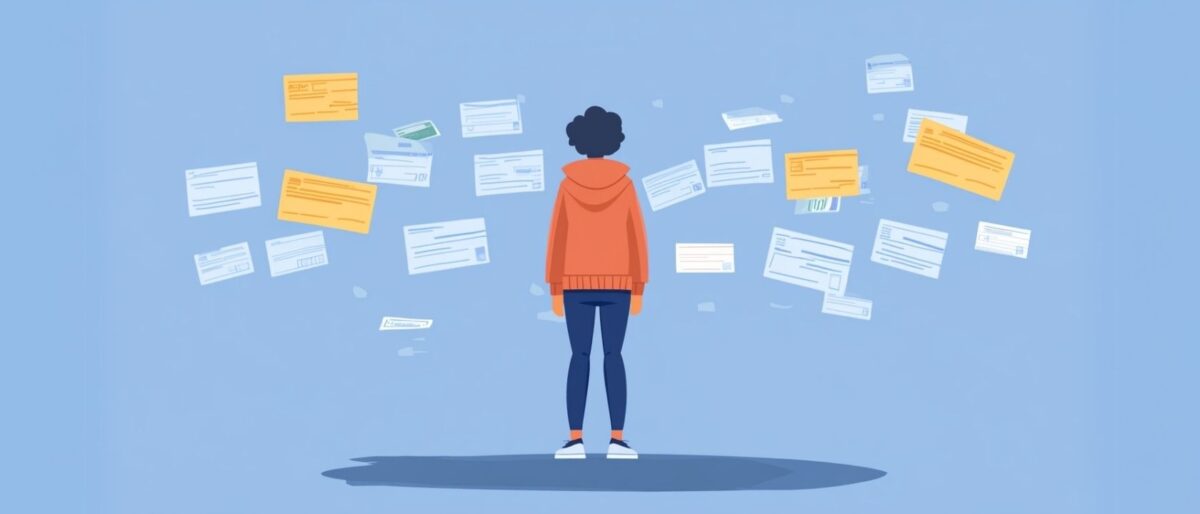
Don’t delete that “Order Confirmed” email just yet—it’s your golden receipt to prove you made the purchase. Whether it’s a music festival, Broadway show, or playoff game, keeping a clear record helps if anything goes sideways.
- Save your confirmation email and receipt in a special folder in your inbox or forward it to yourself with a memorable subject line.
- Note your order ID and ticket provider. If there’s ever a mix-up—wrong seat, duplicate charge, no ticket delivered—these details are what customer support will ask for first.
- If your ticket doesn’t arrive within the expected timeframe, check your spam folder. Still nothing? Log in to the ticket app or site directly and look under “My Tickets” or “Orders.”
- Still stuck? Contact the ticket provider’s help center with your order number ready. The faster you act, the better your chances of a smooth resolution.
Bottom line: paper trails aren’t old-school—they’re your safety net. Keep your receipts handy until you’ve scanned through the venue door.
Arrive Early & Test the App at the Venue
There’s nothing worse than standing at the gate, fumbling with your phone, while the line snakes behind you. Avoid that panic by planning ahead—especially if you’re dealing with spotty service or a login-hungry ticketing app.
- Arrive at least 30 minutes early. Not just for the bathroom line or merch table, but to deal with any tech hiccups calmly and confidently.
- Some apps will log you out after a period of inactivity, or require re-authentication at the venue. Open your ticket app before you get in line to make sure you’re signed in.
- Wi-Fi at venues is a gamble. If your signal’s weak, try switching to mobile data—or better yet, be ready without needing a connection.
- Add your ticket to Apple Wallet or Google Wallet ahead of time. If that’s not an option, take a clear screenshot of your ticket and save it to your phone’s gallery.
Tech should make your life easier, not harder. A little prep means a lot less stress once you’re near the entrance—and more time to enjoy the show.
What to Do If You Suspect Fraud
Got that sinking feeling you’ve been duped? Don’t panic—act fast. Ticket scams can happen to anyone, but quick action gives you the best shot at salvaging the situation and protecting others.
- Contact the ticket platform immediately. Whether it’s Ticketmaster, SeatGeek, or the event venue itself, explain the issue and provide your order ID, screenshots, and any communication you’ve had with the seller.
- File a chargeback with your bank or credit card provider. If you used a secure payment method like a credit card or PayPal, you might be eligible for a refund under buyer protection policies.
- Report the scammer. Go to reportfraud.ftc.gov to notify the Federal Trade Commission (FTC). You can also report suspicious accounts on platforms like Facebook Marketplace, Instagram, and Craigslist.
Fraud stings, but it’s not the end of the world—or your concert dreams. Be vigilant, stay vocal, and help keep the live event community safe for everyone.