
How to Earn Rewards & Points When Buying Event Tickets
June 3, 2025
Why Seeing a Show Live Feels So Different (The Experience Gap)
June 3, 2025Why Your Mobile Ticket Might Be Delayed (And What to Do)

You bought the tickets. The countdown’s on. But your phone’s still empty. Where’s your mobile ticket? Before the panic sets in, breathe—delayed delivery is more common than you think. Whether you’re heading to a concert, game, or Broadway show, here’s why it happens—and what you can do about it.
Understanding the Wait: Why Mobile Tickets Don’t Always Arrive Instantly
So you’ve snagged tickets, got the confirmation email, and now… crickets. No barcode, no QR code, no access in your app. What gives?
Turns out, most mobile tickets aren’t delivered the second you buy them—and that’s intentional. Many ticketing platforms, including Ticketmaster, AXS, and resale sites like StubHub or Vivid Seats, follow specific ticket release policies designed to reduce fraud, fight scalpers, and smooth out last-minute chaos.
Here’s what’s happening behind the scenes:
- Timed delivery: Mobile tickets are often released 24 to 72 hours before the event starts. This buffer helps the venue or ticketing platform finalize seating arrangements and verify buyer authenticity.
- Fraud prevention: Holding the ticket until closer to showtime reduces the chance of duplicated barcodes or unauthorized resales. Especially with digital tickets, platforms want to limit how many hands a ticket passes through.
- Resale abuse control: Some scalpers buy dozens of tickets only to relist them instantly at jacked-up prices. Delayed delivery makes that harder. It’s a digital leash on bad actors.
- System overload: For big events, platform servers get slammed. Queueing ticket delivery in batches—rather than instantly—helps avoid system crashes and lost tickets.
In other words, your ticket’s not lost—it’s just hanging out in a virtual waiting room until the release window opens. While that can be nerve-wracking, it’s standard procedure. The key is knowing what timeframe your platform promises and not assuming instant delivery means instant access.
Common Scenarios and Platforms with Delayed Delivery
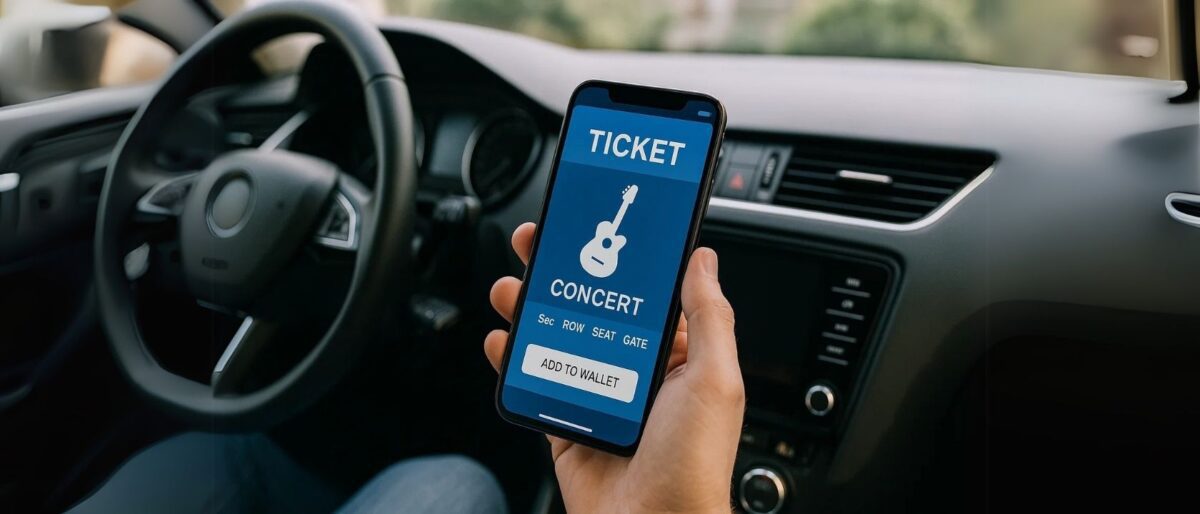
Not all ticket delays are created equal—some platforms bake them into their process, others depend on sellers or venues. Knowing what to expect based on where you bought your ticket can spare you a whole lot of last-minute panic.
Here’s how it typically breaks down across popular platforms:
- Ticketmaster: Their policy clearly states that mobile tickets are often released within 24 to 48 hours before the event. So if your show is still a few days away and your app’s blank, don’t stress. It’s perfectly normal. Sometimes, especially for high-profile concerts or playoffs, tickets may even drop closer to showtime for added security.
- StubHub and Vivid Seats: These resale platforms rely on third-party sellers to upload and transfer tickets. That means the timing isn’t always in StubHub’s hands. Some sellers don’t receive the tickets themselves until closer to the event. If your event is within 24 hours and you still haven’t received anything, that’s when it’s time to follow up.
- AXS and SeatGeek: These platforms offer app-based mobile ticketing and also follow a timed delivery model. AXS, in particular, may hold tickets until just 1–2 days before the show—especially if transfer restrictions are in place. SeatGeek’s delivery varies depending on the source of the ticket (primary vs. resale), but similar delays apply.
- Team or venue-specific holdbacks: Some sports teams or concert venues manually approve ticket releases. This is common for playoff games, VIP seats, or newly-added showtimes. In these cases, the team or venue might delay ticket delivery for security reasons or to accommodate seat map changes.
Bottom line: the platform sets the tone. If you’re working with one of the big players, delayed delivery is often part of the plan—not a glitch. Before you panic, check their delivery timeline and see if you’re still within the window. Chances are, your ticket’s just fashionably late.
Did You Buy from a Third-Party Reseller?
If your mobile ticket is MIA and you bought from a third-party site, there’s a good chance your ticket is still en route—not because someone’s scamming you (necessarily), but because of how resale platforms actually work behind the scenes.
Here’s the deal: When you buy from platforms like StubHub, Vivid Seats, Gametime, or TickPick, you’re not buying directly from the venue. You’re purchasing from another fan or broker who may not have the tickets ready to send the moment you buy. Often, these sellers upload or transfer the tickets only when they receive them—sometimes as late as the day of the event.
Why does this happen?
- Some sellers list tickets before they physically or digitally receive them.
- Tickets for hot events are released by venues last-minute, so even sellers are in a holding pattern.
- These platforms allow flexibility with transfer deadlines—often up to a few hours before the show.
What to expect from platforms like:
- Gametime: Specializes in last-minute ticketing and promises delivery before the event—or your money back. They’re fast but often deliver right at crunch time.
- TickPick: Offers no-fee pricing, but delivery depends on seller timing. Expect a delay with resale tickets, but you’ll usually get them on time.
Most of the time, these tickets do come through—just not when you want them to. But keep your eyes peeled for warning signs of a potential scam:
- No confirmation email or order number after purchase
- Unresponsive seller or vague delivery promises
- A platform that doesn’t offer a money-back or FanProtect guarantee
- Tickets sent as low-res screenshots or with mismatched event details
Legit resellers will deliver before the show or refund you if something goes wrong. But if it’s the day of the event and you’re still ticketless with no updates? Time to escalate.
How to Check Your Ticket Status (Step-by-Step)
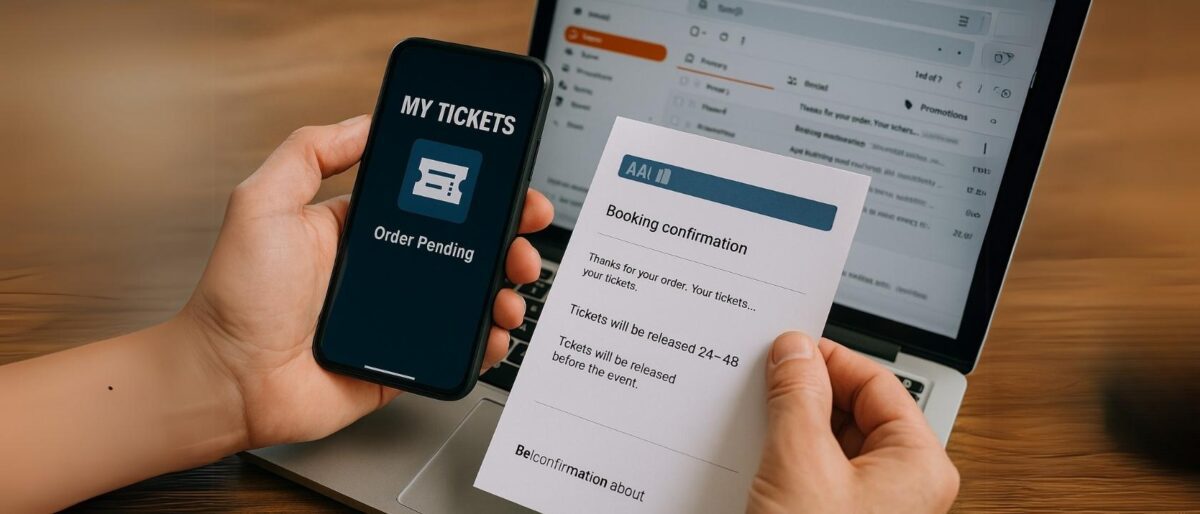
If your ticket hasn’t shown up yet, don’t panic—just do a quick sweep through these steps. Most of the time, the solution is hiding in plain sight. Whether it’s stuck in a spam folder or quietly waiting in your app, here’s how to track it down fast:
- Log into your ticketing account
Start with the obvious: sign in to the account you used to buy the ticket. Go to the “My Tickets” or “Orders” section to see if the ticket is already listed there. If it says “Pending” or “Not Yet Available,” that’s a delivery delay—not an error. - Check your email—including spam and promotions folders
Email filters love to hide important stuff. If your confirmation or ticket delivery email isn’t in your inbox, take a second look in the Promotions, Updates, or Spam tabs (especially if you use Gmail). You might’ve missed a key update or download link. - Review your confirmation email
Scroll down to the fine print—many confirmation emails include the expected delivery timeline. If it says “Tickets will be released 24–48 hours before the event,” you’re still within the normal window. - Use the mobile app—not just your browser
Platforms like Ticketmaster and AXS prioritize app-based ticket delivery. Sometimes, the ticket only appears in the app—not in your browser or inbox. Download the app, log in, and check your ticket wallet or account section. - Contact customer support
Still nothing? Time to reach out. Be ready with:- Your full name and email used for purchase
- Order number
- Event name, date, and venue
This makes it faster for support to locate your order and help you troubleshoot. Most platforms offer chat, phone, or email support—don’t be afraid to use them, especially if your event is within 24 hours.
Following these steps can turn an “uh-oh” into an “oh, there it is.” Nine times out of ten, your ticket is waiting—it just needs a nudge to show itself.
Don’t Panic: Here’s When You Should Actually Worry
Most mobile ticket delays are annoying—but normal. But how do you know when it’s crossed the line from “just wait” to “something’s wrong”? There are a few red flags that signal it’s time to take action, not just refresh your inbox again.
1. It’s less than 4 hours before the event—and still no ticket
If showtime’s creeping closer and you’ve still got no barcode, nothing in the app, and radio silence from the seller or platform, that’s your cue to worry. This is especially urgent if you’re traveling or already en route.
2. You’re getting conflicting information
If the platform says the ticket was delivered, but your account says otherwise… something’s off. Or if a reseller claims it was transferred but you’ve received no transfer email or app notification, you may be caught in the middle of a tech misfire—or worse, a botched transaction.
3. You got the confirmation—but there’s no barcode
You’ve got the email, the order number, the “thank you for your purchase”—but when you check the ticket, there’s no QR code or scannable barcode. Sometimes this just means it hasn’t been released yet. But if it’s within 24 hours of the event and the barcode is still missing, reach out.
4. There’s a mismatch in ticket details
This one’s subtle but serious. If your name doesn’t appear on the ticket (when it should), or the app won’t recognize your order—even though you’re logged into the right account—that could mean the transfer didn’t complete correctly. Or worse, someone else might’ve already used your ticket.
Don’t let these issues catch you at the gate. If you notice any of these warning signs, jump to the next step: contact support, ask for a reissue, and don’t hesitate to visit the venue box office if needed.
What to Do If Your Ticket Still Hasn’t Arrived

Clock’s ticking. The doors are about to open. And your mobile ticket is still playing hard to get. Don’t panic—but don’t wait around either. If you’ve crossed the “too close for comfort” mark and still can’t access your ticket, here’s how to jump into action fast.
1. Contact the seller or platform immediately
Whether you bought from Ticketmaster, AXS, StubHub, Vivid Seats, or another outlet, reach out to their customer support—ASAP. Use the live chat or phone option if available. Don’t rely on email if the event is today. Have your order number, event name, and purchase email ready so they can locate your transaction quickly.
2. Ask for a reissue or ticket transfer
In many cases, a ticket can be re-sent or transferred to another account. For example, AXS can push tickets to your email again, and StubHub sellers can resend the file or update the recipient. Make it clear you haven’t received the barcode or that the transfer didn’t go through. Support teams are usually equipped for this—especially close to showtime.
3. Head to the venue box office if it’s last-minute
If you’re already at the venue (or nearby), head to the box office with ID in hand. Many venues can verify your purchase directly—even from resale platforms—especially if you bring the confirmation email and payment receipt. It’s a real-world fix when the digital world flakes out.
4. Bring proof—screenshots, ID, receipts
You don’t need a physical ticket to get help, but you do need proof. Take screenshots of:
- Your confirmation email
- Your account page showing the order
- Any communication with the seller or platform
- Your ID and payment method (in case of in-person help)
This helps support verify your purchase quickly and get you inside without missing half the show.
Tech hiccups happen. But with the right info and a little urgency, you can still turn things around and get to your seat in time for the opening number—or kickoff.
Tips to Avoid Mobile Ticket Stress Next Time
Let’s be real—scrambling for a missing ticket ten minutes before the doors open isn’t anyone’s idea of fun. Good news? A little prep goes a long way. With these simple habits, you can avoid last-minute ticket panic and stroll into your next event like a seasoned pro.
1. Buy early—and stick with trusted sources
The best way to dodge delays and shady sellers? Buy directly from the source. That means Ticketmaster, AXS, or official team, artist, or venue websites. If you go through a resale platform, pick one with buyer guarantees (like StubHub’s FanProtect). The earlier you buy, the more time you have to sort out any issues—before show day stress sets in.
2. Read the fine print on delivery timelines
Most people miss this step and then wonder why nothing’s showing up. Look for delivery details on the checkout page or confirmation email. If it says “tickets will be released 24–48 hours before the event,” set a reminder and chill until that window opens.
3. Download the ticketing app ahead of time
Many tickets won’t show up properly in your email or browser—but they will in the app. Don’t wait until the Uber ride over to install Ticketmaster, AXS, or SeatGeek. Do it early, log in, and make sure your account info matches your order details.
4. Turn on alerts for ticket availability
Push notifications or emails will often be the first to tell you your ticket is ready. Make sure notifications are enabled for the ticketing app and your email isn’t sending those updates to a black hole (a.k.a. the Promotions tab).
5. Bookmark support contact pages—just in case
Nobody wants to be frantically Googling “StubHub live chat” outside a stadium. Save links to your platform’s help center, live chat, or customer service number in your phone. That way, you’re ready to act fast if something feels off.
With just a bit of planning, mobile ticketing becomes smooth, stress-free, and actually kind of convenient. Because let’s be honest—you’ve got better things to worry about. Like what to wear, where to park, and which snacks you’re smuggling in.
Special Cases: Broadway Shows, Festivals, and Sports Events
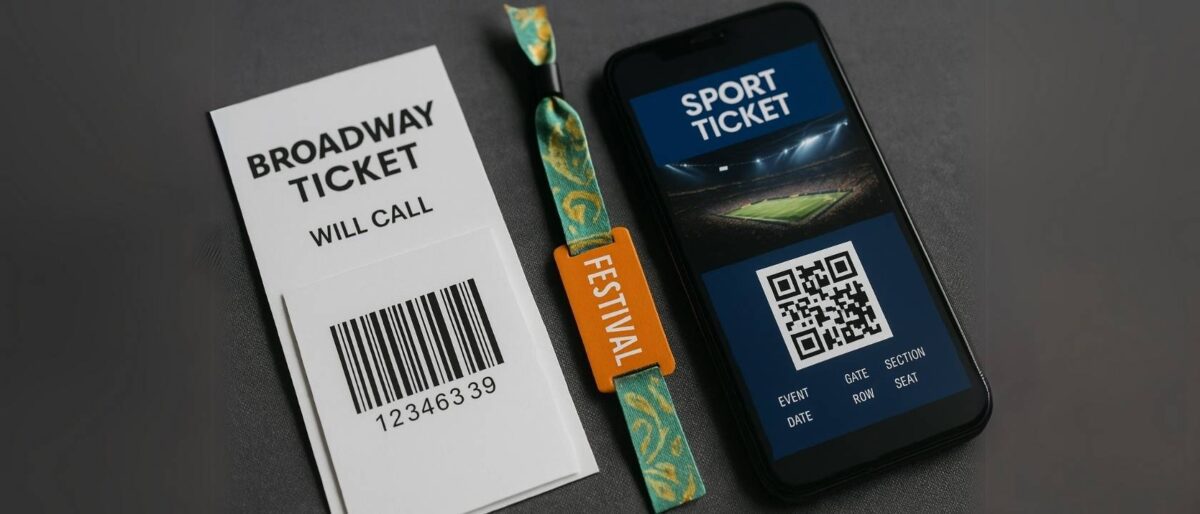
While most events stick to the mobile ticketing norm, some situations play by their own rules. Broadway shows, music festivals, and professional sports games often add an extra layer of logistics—sometimes helpful, sometimes headache-inducing. Here’s how to stay ahead of the quirks.
🎭 Broadway & Theater Tickets: Will-Call and App Locks
Unlike concerts and arena events, many Broadway venues still rely on good old-fashioned will-call pickup or locked-in app delivery. That means your tickets might not appear until hours before the curtain—and only in the official app (like Telecharge or TodayTix). Some shows won’t even release scannable tickets until you’re within a geofenced area near the theater. So don’t panic if your barcode is missing the night before—it may not appear until show day.
🎪 Festivals: Wristbands, RFID, and Postal Delays
Large festivals (think Coachella, Lollapalooza, Bonnaroo) use RFID-enabled wristbands instead of digital tickets. These are mailed weeks ahead of time—but delays happen. If your wristband hasn’t arrived a few days before the event, contact the festival’s support line immediately. Lost or late wristbands can often be replaced at the box office, but you’ll need ID and your original order info. And once that band’s activated—keep it on. They don’t issue replacements for “Oops, I cut it off early.”
🏀 Sports Games: Dynamic Transfers and App-Only Access
Leagues like the NBA and NFL use dynamic, mobile-only ticketing for added security. Your ticket may be transferred to you through a team-branded app or partner platform like Ticketmaster or SeatGeek. But here’s the curveball: tickets can sometimes only be accessed through the team’s official app. If you’re attending a Lakers game, you might need the Lakers app—not just Ticketmaster. Also, many sports tickets can’t be transferred until a certain date—so don’t worry if they’re “locked” for now.
Each of these event types comes with its own delivery timing, platform restrictions, and access requirements. The best defense? Read the delivery policy when you buy, download any required apps ahead of time, and set calendar reminders to check status a few days before the event.
Can You Get a Refund If the Ticket Never Arrives?
So the clock runs out, doors open, and your ticket never shows. The question now is—can you actually get your money back? The answer depends on where you bought it, how you paid, and whether the platform has your back. Let’s break it down.
Platform-Specific Refund Policies
If you purchased your ticket through an official source like Ticketmaster, AXS, or a venue box office, you’re usually covered—if the issue is on their end. Most of these platforms won’t refund for user error (like losing access to your email), but they will make it right if the ticket was never delivered or failed at the gate. Some even reissue tickets on the spot if you catch the problem in time.
Resale Sites and Buyer Guarantees
Here’s where it gets a little more comforting. Big resale platforms like StubHub, Vivid Seats, TickPick, and Gametime offer buyer protection programs like FanProtect™ or 100% Money-Back Guarantees. These guarantees typically promise that:
- You’ll receive your ticket in time for the event
- You’ll gain valid entry to the venue
- You’ll get a comparable replacement or full refund if anything goes wrong
If you’re denied entry at the venue or your ticket simply never arrives, reach out to the platform’s support team immediately—preferably with screenshots, emails, and confirmation numbers in hand. Most will process a refund or credit within a few business days once they verify the problem.
Disputing the Charge
If the platform refuses to help—or goes silent—you’ve still got one more move: dispute the charge with your credit card issuer. Most cards have built-in consumer protection for non-delivered goods or services. File a dispute, attach your proof, and explain the issue. Banks tend to side with buyers in clear-cut cases where you paid and received nothing in return.
Bottom line: you’re not powerless. While it might take a little effort (and a bit of patience), there are solid paths to a refund—especially if you stuck with a trusted platform. The key is acting fast, keeping all your receipts, and knowing who to contact when something feels off.
Conclusion: Stay Calm, Stay Informed
When your mobile ticket doesn’t show up right away, it’s easy to spiral—especially when the event’s just around the corner. But here’s the truth: mobile ticket delays are surprisingly common, and in most cases, they’re nothing to panic about. Whether it’s a system hold, a resale transfer, or just a timed release, the delay is often part of the process—not a red flag.
Most platforms deliver—eventually. Big names like Ticketmaster, AXS, and StubHub handle millions of transactions. If you’ve got confirmation and you’re within the expected delivery window, you’re usually good. That said, it pays to be proactive. Download the app. Read the delivery details. Know when to expect your ticket and what to do if it doesn’t show up.
And if things go sideways? Know your rights, act quickly, and keep your documentation tight. A screenshot, a receipt, and a clear head can make all the difference when troubleshooting with customer support—or pushing for a refund.
Live events are meant to be exciting, not stressful. So next time you’re watching the clock tick down and your phone’s still empty, don’t freak out—be prepared. Because the best kind of ticket is the one that gets you in without the drama.